
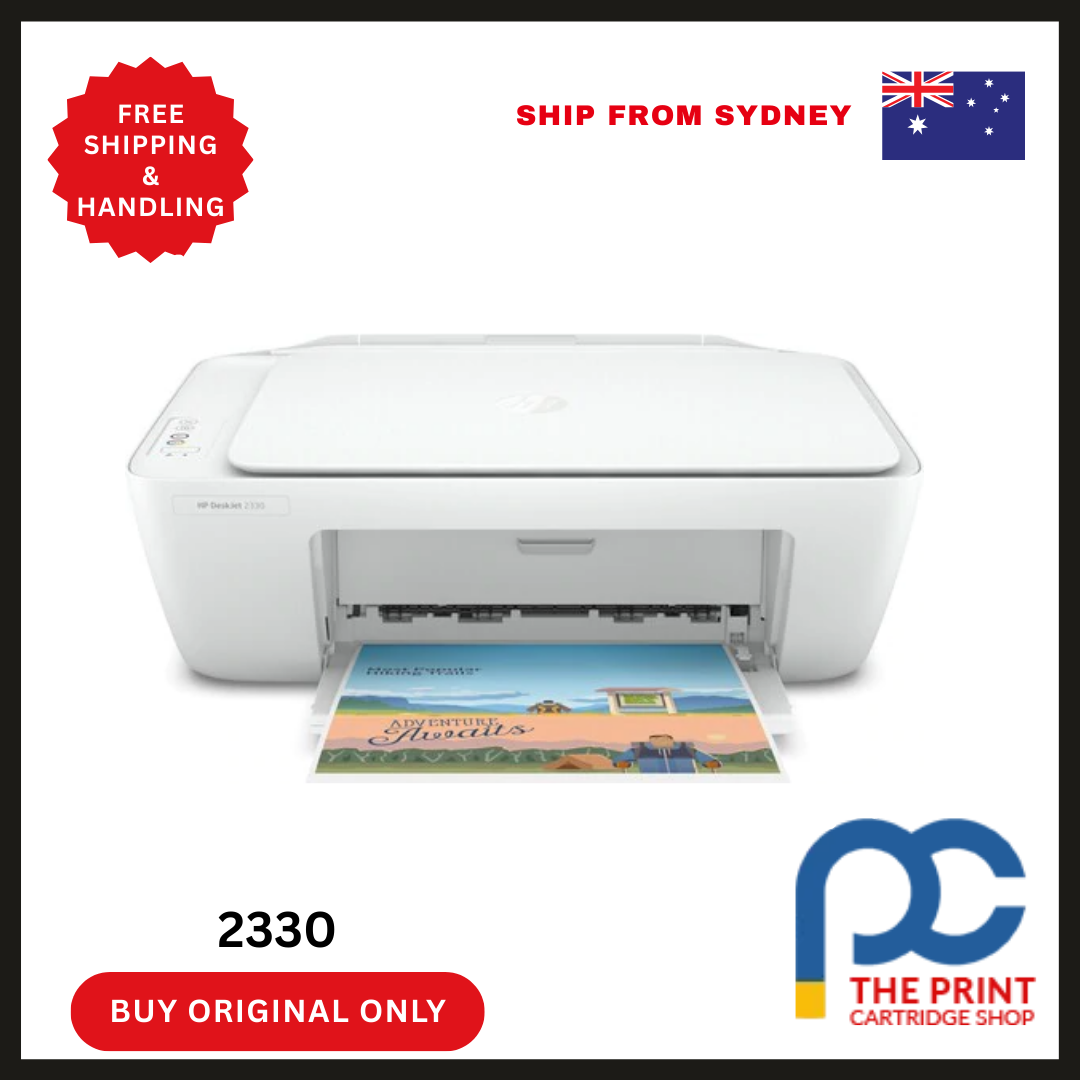


HP DeskJet 2330 All-in-One Inkjet Printer
Reliable Printing, Scanning, and Copying for Everyday Needs
The HP DeskJet 2330 All-in-One Inkjet Printer offers seamless functionality for homes and small offices. It combines the essential features of printing, scanning, and copying in one compact and easy-to-use device. Designed for everyday use, this printer is budget-friendly, energy-efficient, and remarkably simple to set up.
Whether you need to print school assignments, scan important documents, or make copies of personal files, the HP DeskJet 2330 delivers high-quality output with minimal effort. Additionally, its sleek design saves space, making it perfect for any workspace or study area.
Let’s explore everything that makes this printer a valuable addition to your home or office.
Key Features of HP DeskJet 2330 All-in-One Inkjet Printer
- All-in-One Functionality: Enjoy printing, scanning, and copying with a single device.
- Compact and Sleek Design: Fits easily on any desk or shelf without cluttering your workspace.
- Easy Setup with HP Smart App: Get started quickly using step-by-step guidance through the HP Smart app.
- Energy-Efficient Operation: Built with energy-saving features, it helps reduce your environmental footprint.
- Crisp and Clear Output: Get sharp text and vivid color images with HP’s reliable inkjet technology.
- Affordable Printing: Use cost-effective HP ink cartridges for budget-friendly printing solutions.
- USB 2.0 Connectivity: Reliable and straightforward wired connection for consistent performance.
- Quiet Mode: Print silently in low-noise environments like libraries and bedrooms.
HP DeskJet 2330 Specifications
Here is a detailed specification table for quick reference:
| Category | Details |
|---|---|
| Product Type | All-in-One Inkjet Printer |
| Model Number | HP DeskJet 2330 |
| Functions | Print, Scan, Copy |
| Printing Technology | Thermal Inkjet |
| Print Resolution | Up to 1200 x 1200 rendered dpi |
| Scanner Type | Flatbed |
| Scanner Resolution | Up to 1200 x 1200 dpi |
| Maximum Print Speed (Black) | Up to 7.5 ppm |
| Maximum Print Speed (Color) | Up to 5.5 ppm |
| Input Tray Capacity | Up to 60 sheets |
| Output Tray Capacity | Up to 25 sheets |
| Display | 7-segment + icon LCD |
| Connectivity | Hi-Speed USB 2.0 |
| Operating System Support | Windows and macOS |
| Dimensions (W x D x H) | 425 x 304 x 149 mm |
| Weight | Approx. 3.42 kg |
| Power Consumption | 10 watts (maximum), 2 watts (ready) |
| Ink Cartridges | HP 805 Black and Tri-color Cartridges |
| Monthly Duty Cycle | Up to 1000 pages |
Why Choose the HP DeskJet 2330 All-in-One Printer?
The HP DeskJet 2330 stands out in its category due to its thoughtful design, performance, and affordability. Here are some compelling reasons to choose this printer:
- Seamless Setup
Setting up the printer is effortless with the HP Smart app, which guides you through every step. - User-Friendly Interface
The control panel is intuitive and easy to navigate, even for beginners. - Versatile Usage
Use it for printing school assignments, scanning ID cards, or copying documents—all with consistent quality. - Space-Saving Design
Its compact structure ensures it doesn’t take up too much space on your desk. - Durable Build
Made with quality materials, the HP DeskJet 2330 can withstand everyday use with ease. - Global Brand Trust
HP is known worldwide for quality and customer satisfaction, providing peace of mind with every purchase.
Benefits of Using the HP DeskJet 2330
When you use the HP DeskJet 2330, you get more than just a printer. You enjoy:
- High-Quality Output
Get professional-grade documents and vibrant images from a budget-friendly printer. - Energy Savings
HP’s efficient power management helps lower your electricity bills. - Minimal Maintenance
The device is easy to clean and maintain, reducing downtime. - Low Cost Per Page
Use HP’s affordable ink cartridges to manage your printing costs effectively. - Time-Saving Features
With a fast first page out and reliable speed, you won’t waste time waiting. - Eco-Friendly Choice
The printer is ENERGY STAR® certified, helping reduce environmental impact. - Noiseless Performance
Its quiet operation lets you work in peace, even during late-night study sessions.
FAQs About the HP DeskJet 2330 All-in-One Printer
1. What operating systems are compatible with the HP DeskJet 2330?
The printer supports both Windows and macOS. It works well with Windows 10 and above, and macOS Mojave and later versions. Installation drivers are easily accessible via HP’s official website.
2. How do I set up the printer?
You can set up the HP DeskJet 2330 using the HP Smart app. Simply download the app on your smartphone or PC, and follow the on-screen instructions for a hassle-free setup experience.
3. Is the HP DeskJet 2330 suitable for home use?
Yes, it’s designed specifically for home and small office environments. Its compact size and easy-to-use features make it ideal for printing school projects, photos, and essential documents.
4. Can I print wirelessly with this model?
No, the HP DeskJet 2330 connects via USB 2.0. If you need wireless functionality, consider other models in the HP DeskJet or HP Smart Tank series that offer Wi-Fi connectivity.
5. How many pages can I print in a month with this printer?
The printer has a recommended monthly duty cycle of up to 1000 pages. It performs best within a usage range of 50 to 200 pages per month for optimal longevity and efficiency.
Conclusion
The HP DeskJet 2330 All-in-One Inkjet Printer is a powerful yet compact solution for anyone seeking reliability and affordability in one package. It excels in essential functions—printing, scanning, and copying—while maintaining user-friendliness and performance.
From easy setup to sharp, professional-quality prints, it delivers unmatched value. With HP’s reputation for innovation and support, the DeskJet 2330 is more than just a printer—it’s your everyday productivity partner.
For households, students, and professionals looking for an all-in-one printer that doesn’t compromise on quality or cost, the HP DeskJet 2330 is a smart, future-ready choice.



Reviews
There are no reviews yet