

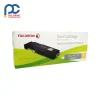


The original Fuji Xerox CT202131 cyan toner gives up to 700 pages at 5% coverage. It delivers sharp detail and vibrant cyan for presentations and marketing material. A cost-effective option for low to medium colour volumes.
Key details
- Brand: Fuji Xerox (original)
- Part code: CT202131
- Colour: Cyan
- Page yield: up to 700 pages at 5% coverage
- Type: laser toner cartridge
- Use: presentations, marketing materials and personal projects
- Print technology: laser
Every Fuji Xerox CT202131 Cyan we sell is checked against its listing details before it ships.
Suits the following printers
Fuji Xerox DocuPrint CP105b, Fuji Xerox DocuPrint CP205, Fuji Xerox DocuPrint CP205w, Fuji Xerox DocuPrint CP215w, Fuji Xerox DocuPrint CM205b, Fuji Xerox DocuPrint CM205f, Fuji Xerox DocuPrint CM205fw, Fuji Xerox DocuPrint CM215b, Fuji Xerox DocuPrint CM215fw
Good to know
How many pages does CT202131 print?
Up to 700 pages at 5% coverage. That reduces how often you need to replace the cartridge for moderate colour printing.
Is it suited to business use?
Yes, it suits both business and home office colour printing. Original Fuji Xerox toner offers efficiency, cost-effectiveness and superior print quality, delivering reliable, crisp cyan for presentations, marketing materials and personal projects.
How to install the Fuji Xerox CT202131 Cyan
- Open the front or top cover and let the printer cool for a few minutes if it has just been printing.
- Remove the used cartridge. On printers with a separate drum unit, take out the drum and toner together, then push the lock lever and lift the toner cartridge out of the drum.
- Unpack the new cartridge and gently rock it side to side five or six times to spread the toner evenly. Remove any protective strip or cover.
- Slide the cartridge into place (or into the drum unit until it clicks), refit the assembly and close the cover.
Storage and handling
Keep unopened cartridges in their packaging in a cool, dry place and lay them horizontally. If you spill toner, wipe it up with a dry cloth and cold water rather than a vacuum cleaner.
Getting the most from each cartridge
Page yields such as 700 pages are measured at about 5% coverage, so pages with heavy graphics will use toner faster. Printing in draft or toner save mode helps your cartridge last longer, and keeping the paper path clean helps avoid smudges.


Reviews
There are no reviews yet