

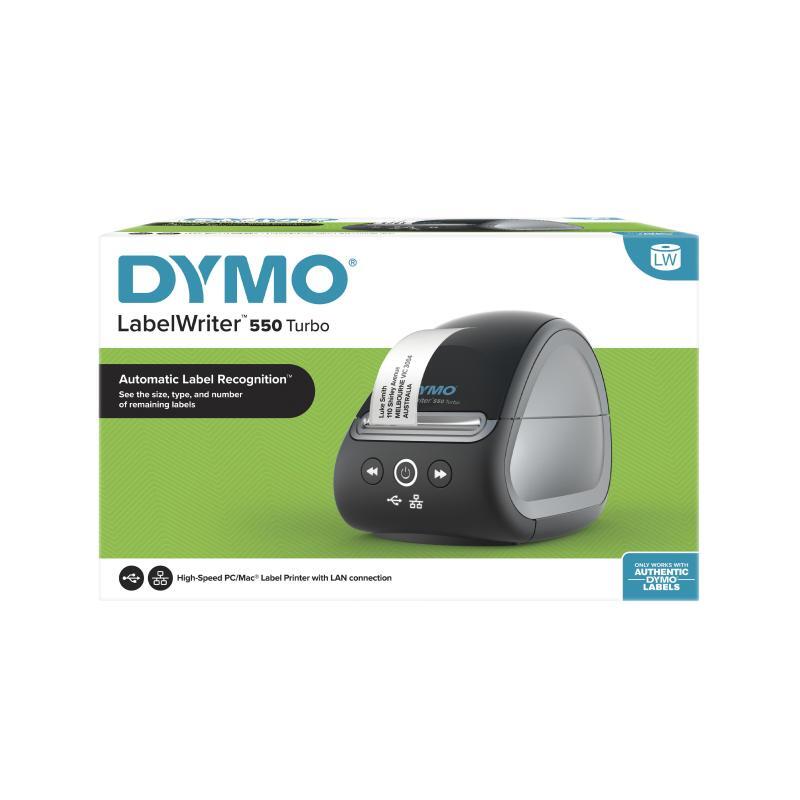
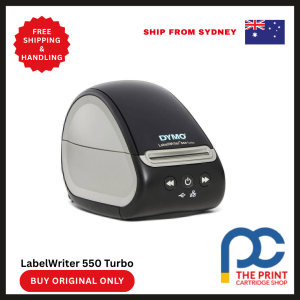


Dymo LabelWriter 550 Turbo – High-Speed, High-Precision Label Printing for Modern Workflows
The Dymo LabelWriter 550 Turbo is engineered to elevate your labeling experience with unmatched speed, accuracy, and smart functionality. Built for high-demand environments such as logistics operations, administrative offices, retail counters, and warehouse settings, the 550 Turbo is your go-to label printer for seamless, efficient, and error-free labeling.
Unlike traditional printers, the LabelWriter 550 Turbo uses direct thermal printing technology. This means it prints without ink or toner, eliminating the need for expensive consumables while ensuring crisp, professional-grade labels every time. Whether you’re printing address labels, barcode tags, inventory labels, name badges, or file folders, the 550 Turbo handles the job with excellence.
What sets this model apart is its Turbo speed—up to 45% faster than the base model LabelWriter 550. This enhanced performance helps you tackle high-volume printing tasks without sacrificing quality or efficiency. Additionally, the automatic label recognition feature removes guesswork by identifying the label type, size, and remaining quantity, helping you avoid misprints and downtime.
With LAN connectivity, the 550 Turbo enables multiple users across a network to access the printer, making it ideal for busy workspaces and collaborative teams. Dymo’s intuitive software suite integrates smoothly with popular office programs, allowing you to design and print custom labels with ease. From professional packaging to streamlined office labeling, the Dymo LabelWriter 550 Turbo delivers on every front.
Key Features
- Supercharged Turbo Speed
Prints up to 45% faster than the LabelWriter 550, boosting productivity in high-volume environments. - Automatic Label Recognition
Identifies label size, type, and remaining quantity instantly—reducing waste and preventing errors. - Direct Thermal Printing Technology
Eliminates ink and toner usage, delivering sharp prints at a lower cost. - Network Connectivity (LAN)
Allows multiple users on the same network to access and print from the device. - 300 dpi Print Resolution
Produces professional-grade barcodes, graphics, and text with precision. - Modern, Compact Design
Stylish and space-saving—perfect for front desks, offices, and retail counters. - Custom Label Creation Software
Includes Dymo Connect for Desktop, offering easy design tools for customized labels. - Enhanced Security and Functionality
Prevents label jams and printing errors with intelligent label detection. - Eco-Friendly Operation
Uses fewer resources, producing less waste and requiring no consumables like ink or toner.
Specifications
| Feature | Details |
|---|---|
| Product Name | Dymo LabelWriter 550 Turbo |
| Printing Method | Direct Thermal |
| Max Label Width | 2.4 inches (62 mm) |
| Print Speed | Up to 90 labels per minute |
| Print Resolution | 300 dpi |
| Connectivity | USB 2.0, Ethernet (LAN) |
| Compatible OS | Windows 8 or later, macOS 10.14 or later |
| Automatic Label Recognition | Yes |
| Maximum Roll Diameter | 3.5 inches |
| Supported Label Types | Address, file folder, barcode, name badge, shipping |
| Dimensions (W x H x D) | 13.5 x 13.8 x 18.7 cm |
| Weight | Approx. 1.4 kg |
| Software | Dymo Connect for Desktop |
| Power Supply | External power adapter |
Why Choose the Dymo LabelWriter 550 Turbo
The Dymo LabelWriter 550 Turbo stands out because it meets the needs of fast-paced businesses that rely on quick, high-quality label output. When seconds count and accuracy matters, this printer delivers rapid results without compromise. Thanks to its turbocharged speed and advanced automation, teams can reduce their labeling workload significantly while ensuring consistent output.
Its automatic label recognition system saves time by detecting what’s loaded in real time, preventing misprints, and helping users manage inventory more efficiently. The LAN connectivity ensures multiple users can access the printer simultaneously, making it ideal for shared workstations or networked office environments.
Moreover, its compact design, premium software integration, and ability to print without the ongoing cost of ink or toner make it a cost-effective and clutter-free solution. Every print is precise, every operation intuitive, and every label professional—making the 550 Turbo a valuable asset to your labeling toolkit.
Benefits of Using the Dymo LabelWriter 550 Turbo
- Reduces Labeling Time
Print up to 90 labels per minute and meet tight deadlines with ease. - Lowers Operational Costs
Say goodbye to ink and toner—direct thermal printing reduces long-term expenses. - Prevents Printing Errors
Automatic label recognition ensures every print is accurate and aligned with the correct format. - Improves Workflow Efficiency
LAN connectivity allows team members to print from one centralized machine. - Delivers Professional Results
With 300 dpi resolution, every barcode and label looks clean, sharp, and easy to read. - Minimizes Waste
No unnecessary ink cartridge replacements or toner spillage—eco-friendly printing at its best. - Easy to Use
Simple setup with Dymo Connect for Desktop software and plug-and-play compatibility with Windows and macOS. - Supports Multiple Label Types
From address to shipping to barcode labels, this printer adapts to your labeling needs. - Compact for Any Workspace
Small enough for desks and counters, yet powerful enough for industrial-scale output.
FAQs About the Dymo LabelWriter 550 Turbo
1. How does the LabelWriter 550 Turbo differ from the standard LabelWriter 550?
The 550 Turbo is designed for higher performance. It prints up to 45% faster than the standard 550 model and includes Ethernet (LAN) connectivity for network-wide access, making it better suited for busy or shared office environments.
2. What types of labels can I print with the 550 Turbo?
You can print a wide range of label types, including:
- Address labels
- Shipping labels
- File folder labels
- Barcode tags
- Inventory labels
- Name badges
This versatility makes it an all-in-one labeling solution.
3. Can I print custom-designed labels?
Yes. With Dymo Connect for Desktop software, you can design your own labels using text, barcodes, graphics, and logos. The software includes templates and tools that make custom label creation easy and fast.
4. Does the LabelWriter 550 Turbo support printing from multiple computers?
Absolutely. The LAN connectivity allows multiple users on the same network to print labels without needing direct USB access. This is particularly useful for departments or teams working collaboratively.
5. How does the automatic label recognition feature benefit me?
The printer detects the label size, type, and quantity immediately upon loading. This feature prevents errors such as misaligned or incorrect label prints and notifies you when labels are running low, so you’re always prepared.
Conclusion
The Dymo LabelWriter 550 Turbo redefines what a high-speed label printer should deliver: intelligent automation, sharp output, broad compatibility, and blazing-fast performance. From streamlining shipping labels in a warehouse to improving documentation efficiency in an office, this printer proves itself an indispensable tool in every scenario.
Its standout features—such as automatic label recognition, LAN connectivity, and direct thermal technology—combine to offer a smooth, cost-effective, and user-friendly labeling solution. With a focus on quality, speed, and reliability, the 550 Turbo enhances productivity while keeping operational costs low.
If your business demands precision, efficiency, and future-ready printing, the Dymo LabelWriter 550 Turbo is the label printer to trust. Invest in smarter labeling and keep your workflow moving forward without interruption.
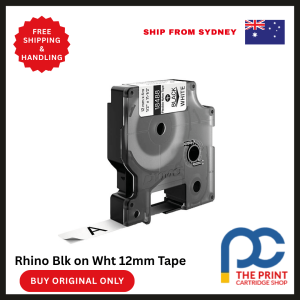


Reviews
There are no reviews yet