
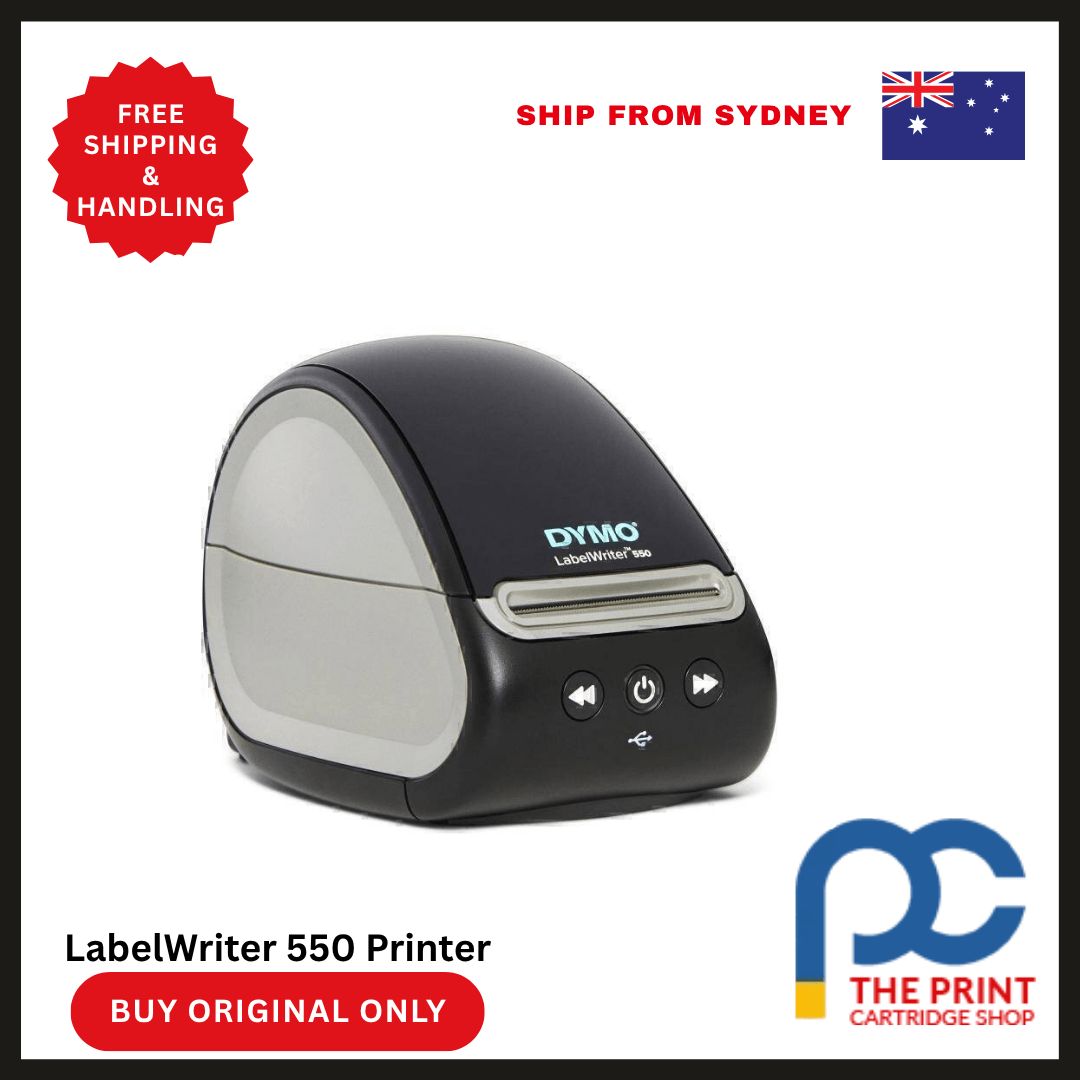



Dymo LabelWriter 550 Printer – Smart Labeling for Modern Workspaces
The Dymo LabelWriter 550 Printer brings precision, simplicity, and efficiency into your labeling routine. Whether you’re managing shipping logistics, organizing office files, or streamlining product labeling, this compact desktop printer is designed to make your workflow smoother and smarter. Replacing traditional label printing methods, the LabelWriter 550 introduces advanced technology and automation, allowing you to print sharp, clear labels without the need for ink or toner.
This model stands out with automatic label recognition, a feature that instantly detects the size, type, and quantity of labels loaded into the machine. It ensures every print job is executed correctly, eliminating guesswork and minimizing waste. Thanks to its direct thermal printing technology, the LabelWriter 550 delivers high-resolution results while keeping running costs exceptionally low.
Its sleek, space-saving design fits effortlessly into any office environment. Meanwhile, the intuitive Dymo Connect for Desktop software provides a powerful platform for custom label creation. Whether you’re printing address labels, barcode tags, or file folders, the Dymo LabelWriter 550 offers reliable performance and professional quality.
This printer is a perfect match for small businesses, offices, and home setups looking to simplify their labeling process while ensuring accuracy and speed. Built for users who value functionality and sustainability, the Dymo LabelWriter 550 is a modern solution to everyday labeling challenges.
Key Features
- Automatic Label Recognition
Identifies label size, type, and number remaining—helping prevent errors and ensuring uninterrupted printing. - Direct Thermal Printing Technology
Eliminates the need for ink or toner, offering a cleaner and more economical printing experience. - 300 dpi Print Resolution
Delivers sharp, professional-looking text, graphics, and barcodes with high readability. - Dymo Connect for Desktop Software
Enables easy label design with built-in templates, barcodes, images, and custom formatting options. - Compact, Modern Design
Fits seamlessly into desks and counters, saving space while complementing modern office aesthetics. - Improved Printing Efficiency
Prints up to 62 labels per minute (4-line address format), keeping up with daily workloads effortlessly. - USB Connectivity
Simple and stable connection to your PC or Mac ensures consistent performance and easy setup. - Eco-Conscious Functionality
Operates without cartridges, reducing waste and improving sustainability. - Supports Wide Range of Label Types
From address and shipping labels to name badges and inventory tags, it’s flexible for any task.
Specifications
| Feature | Details |
|---|---|
| Product Name | Dymo LabelWriter 550 |
| Printing Technology | Direct Thermal |
| Maximum Label Width | 2.4 inches (62 mm) |
| Print Speed | Up to 62 labels per minute |
| Print Resolution | 300 dpi |
| Connectivity | USB 2.0 |
| Operating System Support | Windows 8 and later, macOS 10.14 and later |
| Label Recognition | Yes |
| Maximum Roll Diameter | 3.5 inches |
| Supported Label Types | Address, Shipping, File Folder, Name Badge, Barcode |
| Dimensions (W x H x D) | 13.5 x 13.8 x 18.7 cm |
| Weight | Approximately 1.2 kg |
| Software | Dymo Connect for Desktop |
| Power Supply | External Adapter Included |
Why Choose the Dymo LabelWriter 550
Selecting the Dymo LabelWriter 550 means upgrading to a smarter, more efficient labeling process. This printer is built with modern productivity in mind, offering practical features that address the daily challenges of manual labeling. Its standout capability—automatic label recognition—takes the uncertainty out of printing by providing real-time updates on the labels you’re using. This not only eliminates misprints but also helps manage supply levels more effectively.
Furthermore, the printer’s direct thermal printing technology brings cost savings by removing the need for ink and toner. You can print hundreds of labels with minimal overhead. The crisp 300 dpi resolution ensures every label appears clean and professional, which is essential for barcodes, shipping information, and product identification.
Its user-friendly software integration supports a wide range of label formats and custom designs. Whether you’re using it in a home office, retail store, or corporate environment, the LabelWriter 550 is versatile, fast, and easy to manage. It offers a perfect combination of performance, reliability, and environmental consciousness.
Benefits of Using the Dymo LabelWriter 550
- Simplifies Labeling Processes
Automatic label recognition reduces setup time and ensures proper formatting for every label. - Eliminates Consumable Costs
Direct thermal printing cuts down on ink and toner expenses, saving money in the long run. - Enhances Professional Image
High-resolution print output gives labels a polished, consistent appearance—ideal for business branding and logistics. - Increases Productivity
Fast printing speeds support high-volume tasks, enabling efficient order processing and organization. - Supports Customization
Use Dymo’s label creation software to design labels that suit your exact needs, from barcodes to logos. - Reduces Errors and Wasted Labels
With automatic detection of label size and type, you avoid misalignments and incorrect prints. - Contributes to Sustainability
Fewer wasted labels and no ink or toner make it an eco-friendly choice for businesses and individuals alike. - Easy Installation and Use
Plug-and-play USB setup works seamlessly with both Windows and macOS platforms. - Compact and Aesthetic
The clean, modern design fits in any workspace, from minimal desks to shared office areas.
FAQs About the Dymo LabelWriter 550
1. How does automatic label recognition work?
The LabelWriter 550 reads a unique identifier on each roll of Dymo Authentic Labels. It instantly detects the label’s size, type, and remaining quantity, displaying this information on your computer. This helps you avoid printing errors and keeps you informed about label stock levels.
2. Can I design custom labels using the included software?
Yes, the Dymo Connect for Desktop software allows you to create custom labels using text, graphics, barcodes, and images. It also includes a library of templates to streamline the process.
3. Is the Dymo LabelWriter 550 compatible with both Windows and Mac?
Absolutely. The printer works with Windows 8 or newer and macOS 10.14 or later. Installation is straightforward using the Dymo software available on the official website.
4. What are the advantages of direct thermal printing?
Direct thermal printing requires no ink or toner. It creates images by heating special thermal paper, producing clear and durable labels while reducing maintenance and supply costs.
5. How fast can the LabelWriter 550 print?
It can print up to 62 labels per minute when printing 4-line address labels. This speed makes it suitable for high-volume labeling in business environments.
Conclusion
The Dymo LabelWriter 550 Printer is a powerhouse of intelligent label printing. Its speed, precision, and eco-friendly design make it a perfect solution for anyone looking to modernize their workspace. With automatic label recognition, direct thermal printing, and robust software support, this printer delivers everything you need for fast, efficient, and professional label creation.
Whether you’re printing a few labels a day or managing a constant stream of shipping tasks, the LabelWriter 550 scales to meet your needs. Its reliability, ease of use, and low operational cost offer long-term value, helping you stay organized and productive without stretching your budget.
If you’re seeking a label printer that combines smart technology with consistent performance, the Dymo LabelWriter 550 delivers—making your workday smoother, your labeling more accurate, and your operations more efficient.


Reviews
There are no reviews yet