


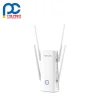


The Wavlink WN586X3 is an AX3000 dual band WiFi 6 router, sold as the MIGHTY EX1, that brings faster, lower-latency WiFi to everyday homes. It provides about 2975Mbps in total, with 2402Mbps on 5GHz and 573Mbps on 2.4GHz, using 160MHz channels and 1024-QAM, plus four foldable 5dBi antennas, a Gigabit WAN port and two Gigabit LAN ports.

As more phones, laptops, TVs and smart devices join a home network, older WiFi 5 routers start to lag. The Wavlink WN586X3 uses WiFi 6 OFDMA and MU-MIMO to connect up to 256 devices with less congestion and lower latency, while Target Wake Time helps battery devices save power. Beamforming concentrates signal towards your devices, WPA2/WPA3 mixed encryption improves security, and compatibility with Wavlink AX3000 and AX6000 mesh systems lets you grow coverage later with seamless roaming.
Who is the Wavlink WN586X3 for?
The Wavlink WN586X3 suits apartments, townhouses and family homes upgrading to WiFi 6, as well as home offices that need dependable video calls. Connect its Gigabit WAN port to your NBN modem or ONT, plug a desktop PC or smart TV into the two Gigabit LAN ports, and finish setup in the WavRouter app or at 192.168.20.1. You can monitor data usage, manage WiFi settings, use the built-in AdGuard Home to block ads, or add OpenVPN, WireGuard or ZeroTier for secure remote access to your home network.
Wavlink WN586X3 key features
- AX3000 WiFi 6 speeds: About 2975Mbps in total, with 2402Mbps on 5GHz and 573Mbps on 2.4GHz. 160MHz channels and 1024-QAM deliver faster downloads, 4K streaming and smoother online gaming.
- OFDMA, MU-MIMO and TWT: WiFi 6 OFDMA and MU-MIMO let the router serve up to 256 devices with reduced congestion and latency, while Target Wake Time helps phones and smart devices save battery.
- Four foldable 5dBi antennas: Two 2.4GHz and two 5GHz patented omnidirectional 5dBi antennas with beamforming widen coverage and concentrate signal towards your devices, and fold down for a compact footprint.
- Gigabit wired ports: One 10/100/1000Mbps WAN port and two 10/100/1000Mbps LAN ports give fast, stable wired connections for a desktop computer, smart TV or games console.
- Mesh compatible: The Wavlink WN586X3 works with Wavlink AX3000 and AX6000 mesh WiFi systems, so you can extend coverage across a larger home with seamless roaming between nodes.
- App setup, VPN and ad blocking: Set up in minutes with the WavRouter app or web interface. Built-in AdGuard Home blocks ads and malware, and OpenVPN, WireGuard and ZeroTier support enables secure remote access.
Wavlink WN586X3 specifications
| Model | WL-WN586X3 |
|---|---|
| Wireless standard | WiFi 6, IEEE 802.11ax/ac/n/a (5GHz), 802.11n/b/g (2.4GHz) |
| WiFi speed | 5GHz 2402Mbps + 2.4GHz 573Mbps (AX3000) |
| Wi-Fi technology | 160MHz, 1024-QAM, OFDMA, MU-MIMO, TWT, beamforming, 802.11k/v roaming |
| Processor / memory | Dual-core 1.3GHz CPU, 16MB flash, 256MB DDR3 |
| Ethernet ports | 1 x 10/100/1000Mbps WAN, 2 x 10/100/1000Mbps LAN |
| Antennas | 2 x 5dBi 2.4GHz + 2 x 5dBi 5GHz, omnidirectional, foldable |
| Encryption | Open, WPA/WPA2-PSK mixed, WPA2-PSK, WPA2/WPA3-PSK mixed |
| VPN | OpenVPN client/server, WireGuard, ZeroTier |
| Protocols | IPv4 / IPv6 |
| Management | WavRouter app (iOS/Android), web interface at 192.168.20.1 |
| Button | Reset/Pair |
| Weight | 253g |
| Operating temperature | 0 to 40 °C |
Full technical details are available on the official Wavlink product page.
What’s in the box with the Wavlink WN586X3
- 1 x Wavlink WN586X3 WiFi 6 router
- 1 x Power adapter
- 1 x RJ45 cable
- 1 x Quick start guide
Wavlink WN586X3 FAQs
Can the Wavlink WN586X3 replace my modem?
No. It is a router and cannot work as a modem. Connect its Gigabit WAN port to your NBN modem, ONT or gateway with an Ethernet cable. If you cannot get online after setup, check that the correct WAN type, such as DHCP or PPPoE, is selected.
Can the Wavlink WN586X3 be part of a mesh system?
Yes. It is compatible with Wavlink AX3000 and AX6000 mesh WiFi systems for seamless roaming and whole-home coverage. Mesh only works with Wavlink devices that support Everything Mesh, so it will not form a mesh with routers from other brands.
How do I reset the router or recover a forgotten password?
With the router powered on, press and hold the Reset/Pair button for about six seconds. This restores factory settings, including the admin password, and you can then set it up again with the WavRouter app or web interface.
What should I do if my WiFi keeps dropping?
Wavlink suggests turning off the option that combines both bands and connecting to the 5GHz network, which has less interference. You can also try a different channel, such as 1, 6 or 11 on 2.4GHz, or 36, 40 or 44 on 5GHz.
Why buy the Wavlink WN586X3 from The Print Cartridge Shop
We are an Australian online store, and every Wavlink WN586X3 we sell is a genuine Wavlink product. Orders are packed within 1–2 business days and sent with tracking to every Australian state under our shipping policy. You can return a change-of-mind purchase within 30 days under our returns policy, and faulty items are covered by the Australian Consumer Law.
Browse more Wavlink modems and routers or see all products from the Wavlink brand. Not sure the Wavlink WN586X3 suits your setup? Contact our team and we will help you check before you order.


Reviews
There are no reviews yet