


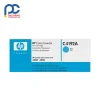


The original HP C1809A yellow ink system uses dye-based ink in DesignJet CP large-format printers. With a stated yield of up to 400 pages, it delivers consistent colour reproduction for professional large-format applications. It installs easily as a direct replacement for an empty yellow system.
Key details
- Brand: HP (genuine)
- Part code: C1809A
- Item reference: HEWC1809A
- Colour: yellow
- Ink type: dye-based
- Yield: up to 400 pages
- Printer family: DesignJet CP
Suits the following printers
HP DesignJet CP series
Add the HP C1809A Yellow Ink to your cart today and it will be on its way within one to two business days.
If you print often, keeping a spare HP C1809A Yellow Ink on hand saves downtime when the current one runs low.
Order the HP C1809A Yellow Ink online and we will pack it carefully for delivery to your door.
Every HP C1809A Yellow Ink we sell is checked against its listing details before it ships.
Good to know
What kind of ink does it use?
C1809A uses dye-based yellow ink. Dye-based inks are formulated for the DesignJet CP colour system and consistent colour reproduction.
Is it easy to replace?
Yes. It is designed to be easy to install and replace in supported DesignJet CP printers. Simply remove the empty yellow system and insert the new one as the printer directs.
How to install the HP C1809A Yellow Ink
- Turn the printer on and open the ink access cover so the cartridge holder moves to the replacement position.
- Press the release tab on the empty cartridge and lift it out.
- Unpack the new cartridge and remove the protective tape or cap. Avoid touching the copper contacts and the ink outlet.
- Push it into the slot that matches its colour until it clicks into place, then close the cover.
- Let the printer finish its start-up cycle (on the HP DesignJet CP series this takes a minute or two) and run a print head alignment if the printer asks for one.
Storage and handling
Keep spare cartridges sealed in their original pack, at room temperature and out of direct sunlight, and install them before the date printed on the box. Once a cartridge is installed, leave it in the printer rather than taking it out and putting it back, as this can let air into the ink path.
Getting the most from each cartridge
Print at least a page or two each week to keep the nozzles clear. If you see faint lines or missing colour, run the printer’s nozzle check and one cleaning cycle rather than several in a row, since each clean uses ink. Draft or standard quality is plenty for everyday documents and stretches each cartridge further.
Delivery, returns and support
Orders are packed within 1–2 business days and sent with tracking to every Australian state for a flat $19.99 delivery fee. Change your mind? Let us know within 30 days of delivery under our returns policy, and faulty items are covered by Australian Consumer Law. Not sure this is the right part for your machine? Send us your printer model and we will confirm before you order.


