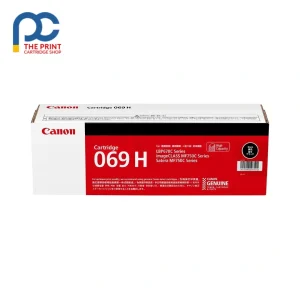
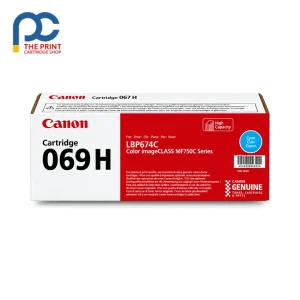
The genuine Canon CART069HC cyan toner is the high-capacity cartridge in the 069 H series, made directly by Canon for supported imageCLASS and LBP colour lasers. Rated at up to 5,500 pages, it lowers cost per page for colour-heavy work such as graphics and marketing material. Exact colour calibration keeps print density consistent from page to page.
Key details
- Brand: Canon (genuine)
- Model: CART069HC (069 H Cyan)
- Equivalent part codes: 5097C001, CRG-069HC
- Colour: cyan
- Yield: up to approx. 5,500 pages
- Capacity: high capacity
- Type: colour laser toner cartridge
Add the Canon CART069HC Cyan Toner to your cart today and it will be on its way within one to two business days.
If you print often, keeping a spare Canon CART069HC Cyan Toner on hand saves downtime when the current one runs low.
Order the Canon CART069HC Cyan Toner online and we will pack it carefully for delivery to your door.
Suits the following printers
Canon imageCLASS / i-SENSYS 750C series, imageCLASS / i-SENSYS 670C series
Good to know
Are 5097C001 and CRG-069HC the same cartridge?
Yes. Both codes refer to this same genuine Canon 069 H high-capacity cyan toner, so you can order using whichever code your printer or supplier shows.
Is this a remanufactured cartridge?
No. It is manufactured directly by Canon, not a remanufactured or third-party alternative, which ensures accurate cyan tones.
How to install the Canon CART069HC Cyan Toner
- Open the front or top cover and let the printer cool for a few minutes if it has just been printing.
- Remove the used cartridge. On printers with a separate drum unit, take out the drum and toner together, then push the lock lever and lift the toner cartridge out of the drum.
- Unpack the new cartridge and gently rock it side to side five or six times to spread the toner evenly. Remove any protective strip or cover.
- Slide the cartridge into place (or into the drum unit until it clicks), refit the assembly and close the cover.
Storage and handling
Store spare toner sealed in its bag, lying flat, at normal room temperature and away from humidity and direct sunlight. Do not touch the drum surface or the roller, as skin oils and scratches can show up as marks on your prints.
Getting the most from each cartridge
When the printer shows a low toner warning, taking the cartridge out and gently rocking it can often give extra pages before it needs replacing. Toner save mode is handy for drafts and internal copies. Used cartridges can be dropped at a Cartridges 4 Planet Ark collection point for free recycling.
Delivery, returns and support
Orders are packed within 1–2 business days and sent with tracking to every Australian state for a flat $19.99 delivery fee. Change your mind? Let us know within 30 days of delivery under our returns policy, and faulty items are covered by Australian Consumer Law. Not sure this is the right part for your machine? Send us your printer model and we will confirm before you order.